A snow screen saver for your Mac.
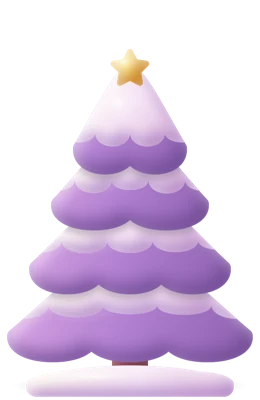
a night sky with an aurora and stars, a snowdrift, a little cabin with its windows lit and a tree with its star, and snow falling over all of it. it comes with Season Jar, for macOS 14 and later.
macOS 14 or laterfrom $9, pay onceAll sales are final, so try the demo first.



Options a copy of the screen saver’s own. try them.
two minutes, once
Add it to your Mac
it’s in the download, right next to the app: Season Jar.saver. double-click it once and macOS adds it to your screen savers.
on macOS 14 and 15, open System Settings › Screen Saver. on macOS 26 and later it’s inside System Settings › Wallpaper: click Screen Saver. then pick Season Jar.
its options pick the weather, how much of it falls, and whether the snowdrift and the cabin and tree show.
how soon it starts is up to macOS: System Settings › Lock Screen, next to Start Screen Saver when inactive.
 Season Jar
snow, or anything else
Every weather the app has
snow is where it starts. its options have the rest too, from a soft rain to a meteor shower.
- Snow
- Blizzard
- Rain
- Thunderstorm
- Falling Leaves
- Cherry Blossoms
- Fireflies
- Embers
- Mist
- Golden Dust
- Meteor Shower
untick the snowdrift and the cabin and tree, and it’s just the sky and the weather.
the small print, in big letters
What it does on its own
the app can be closed
the screen saver runs by itself. it needs your key, so Season Jar hands it a pass whenever it runs, and the screen saver keeps that for three weeks.
it’s the weather you pick
not the weather outside. your town’s real weather is what the app does on your desktop: live weather on your Mac.
it stops when you’re back
the moment the screen saver ends, it stops drawing. want snow while you work? that’s snow on your desktop.
good to know
Questions
Is there a snow screen saver for Mac?
Yes, one comes with Season Jar: a night sky with an aurora and stars, a snowdrift, the cabin with its windows lit and the tree with its star, with snow falling over it all. It works on macOS 14 and later.
Where is the screen saver setting on a Mac?
On macOS 14 and 15 it’s System Settings › Screen Saver. On macOS 26 and later it’s inside System Settings › Wallpaper: click Screen Saver. How soon it starts is in System Settings › Lock Screen, next to Start Screen Saver when inactive.
Can you download screen savers for a Mac?
Yes. A Mac screen saver is a file whose name ends in .saver: double-click it and macOS adds it to your screen savers. Season Jar’s comes in the same download as the app, signed and notarized by Apple.
Does it show my real weather?
No. The screen saver shows the weather you pick in its options: snow, unless you choose another. Your town’s real weather is what the app does on your desktop. Here’s how that works.
Can it rain instead of snow?
Yes. Its options have every weather the app has: rain, a thunderstorm, falling leaves, cherry blossoms, fireflies, embers, mist, golden dust, a meteor shower and a blizzard. Untick the snowdrift and the cabin and tree, and it’s just the sky.
Does Season Jar have to be open?
No. It does need your key: the app hands the screen saver a pass whenever it runs, and the screen saver keeps it for three weeks. If Season Jar hasn’t been opened in that long, the screen saver says so, and opening the app brings the weather back.
Does it cost extra?
No, it comes with Season Jar. The download is free and needs a key to run, and the key that unlocks the app unlocks the screen saver too (from $9, paid once).
Is Season Jar out yet?
Yes. Season Jar for Mac is a free download that needs a key to run (macOS 14 or later, from $9, paid once). See the plans, or play with the demo first: there’s no trial.

Season Jar for Mac
Let it snow while you’re away.
the screen saver comes with Season Jar, in the same download. pay once, it’s yours.
macOS 14 or laterfrom $9, pay onceAll sales are final, so try the demo first.
On Windows? The $5 golden ticket gets you lifetime access as soon as it’s out.
More little guides

Snow on your Mac
snow that falls behind your apps and piles up on your windows.
A cozy Mac desktop
a warm wallpaper, a tidy desktop and a little weather. a recipe.
Live weather on your Mac
your town’s real weather on the desktop, the temp in your menu bar.
Cherry blossoms and falling leaves
petals in spring, leaves in autumn, fireflies on summer nights.
Desktop toys you can throw
a tree, a snowman and a cabin you can pick up and throw onto your windows.
Cozy cabin wallpapers
one cabin, four seasons, by day, at dusk and by night. twelve of them, in 4K.
Updated · All guides